
Once you have seller earnings available in your PlayerBay wallet, you can request a withdrawal from your account dashboard.
This guide explains where to find your wallet, how to open the withdrawal form, and what information you may need to submit your payout request.
Step 1: Open Your Account Menu
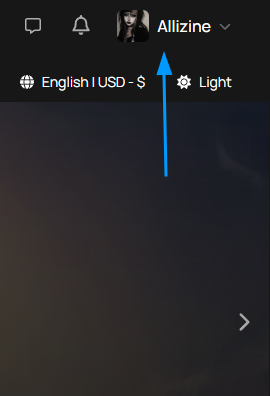
Log in to your PlayerBay account and click your profile avatar or username in the top-right area of the screen. This opens your account menu.
Step 2: Go to Your Wallet
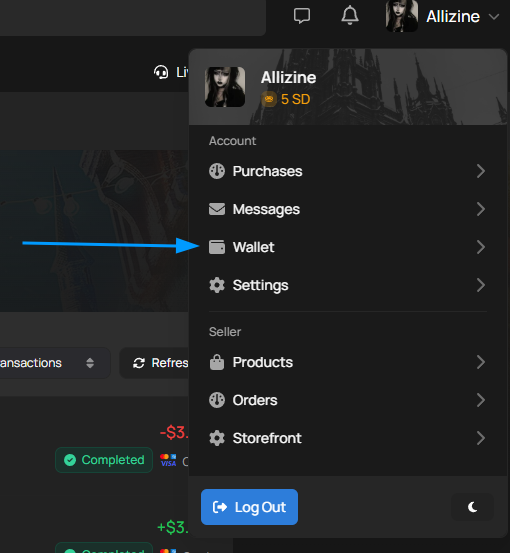
In the account menu, select Wallet. This will take you to the wallet page where you can view your balance, transaction history, and seller earnings.
Step 3: Open the Balance Overview
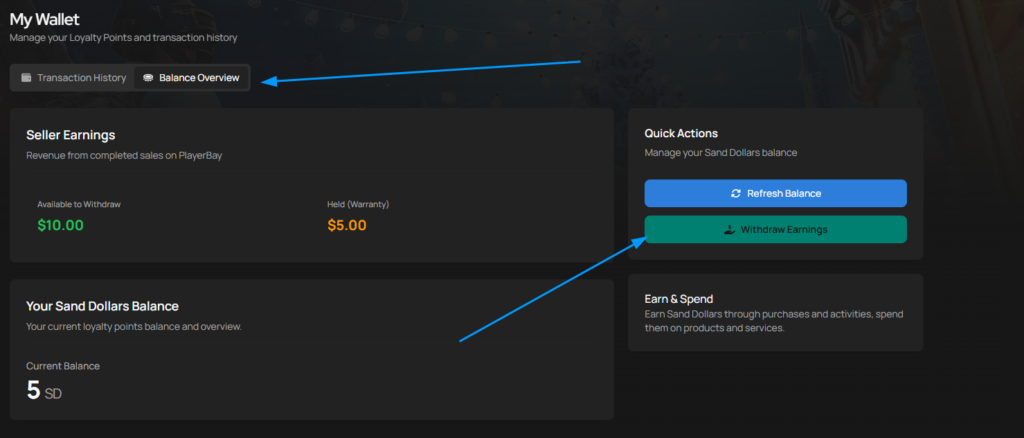
On the wallet page, open the Balance Overview tab. This section shows your seller earnings, including funds that are available to withdraw and any funds currently held under warranty or reserve periods.
When you have funds available, click Withdraw Earnings under the Quick Actions panel.
Step 4: Choose a Withdrawal Method
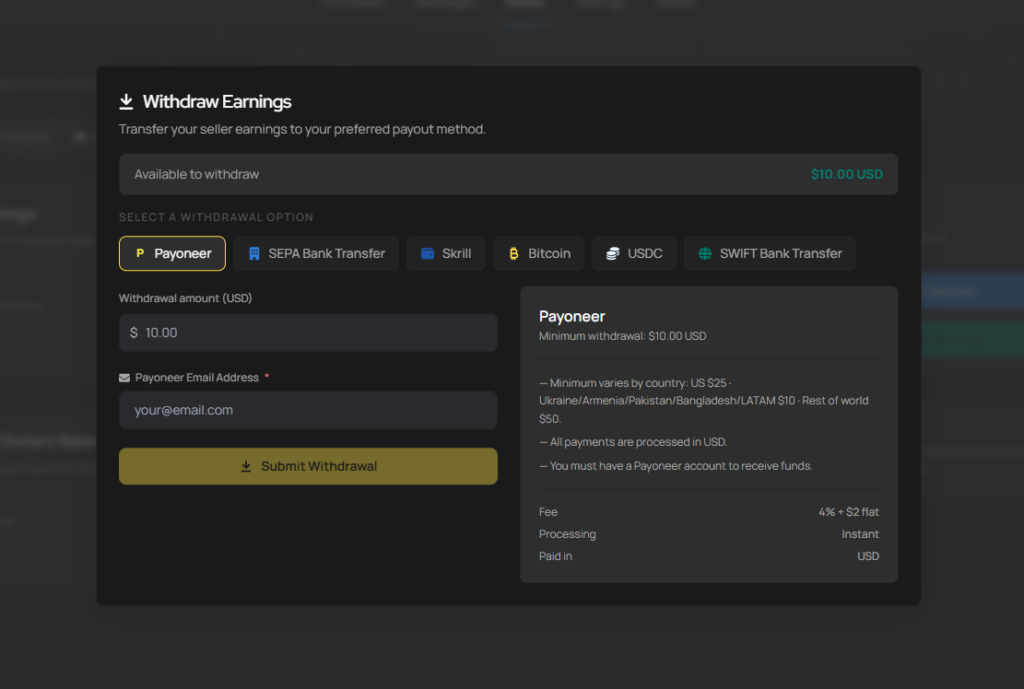
After clicking Withdraw Earnings, a withdrawal form will appear. Select your preferred payout method, enter the withdrawal amount, and provide the required payout details.
| Withdrawal Form Field | What It Means |
|---|---|
| Available to Withdraw | The amount currently eligible for withdrawal from your seller balance. |
| Withdrawal Option | The payout method you want to use, such as Payoneer, SEPA Bank Transfer, Skrill, Bitcoin, USDC, or SWIFT Bank Transfer. |
| Withdrawal Amount | The amount you want to withdraw from your available balance. |
| Payout Details | The required account, wallet, bank, or email details for the selected withdrawal method. |
Step 5: Submit Your Withdrawal
Review the withdrawal amount and payout details carefully before submitting. Once everything looks correct, click Submit Withdrawal.
After submission, your withdrawal will begin processing according to the payout method selected.
Before submitting a withdrawal, double-check your payout details. Incorrect bank, wallet, or account information may delay your withdrawal or cause the payout to fail.